

Many sites run on a platform that nobody wants to patch and that is hard to justify rebuilding. The pages are the same for every visitor, a few people edit them, and the platform behind them still runs on every request. Episode 3 of Securing websites when attackers have AI moves a site like that into Quant Studio, which rebuilds it as an Astro site that the Quant edge serves as static files, and keeps the parts that need to be dynamic at the edge.
Why a stuck site is a risk when attackers have AI
Every request to a dynamic site runs its whole stack: the operating system, the web server, the runtime, the platform, its add-ons and its login page. A flaw in any of those layers can be reached by any visitor. On an old platform, some of those flaws are never fixed, because the vendor or the project no longer releases updates for that version.
Mandiant estimates that in 2025 exploitation started, on average, seven days before a patch was released (M-Trends 2026). The lead article describes how AI has made it cheaper to find a flaw and to turn it into an exploit. For a platform that gets no patches, there is no patch to wait for, so the most reliable way to protect the public site is to stop the platform answering visitors.
The two CMS episodes before this one keep Drupal or WordPress for the editors and publish static pages from them. That is the right choice for a site whose editors depend on their CMS. This episode is for other sites, such as an old platform that would normally cost too much to replace, a site built on a framework that nobody maintains, or a small site that never needed a CMS. After the move, a request to the site’s address runs no application code, and there is no login page or admin path at that address.
What Quant Studio is
Quant Studio is a visual editor and content system for Astro sites. The site is an ordinary Astro project in your own GitHub repository, with the content as Markdown files, and each save in Studio is a commit. When you publish, Studio builds the pages ahead of time, and the Quant edge serves them as static files.
A static site in Studio can still do dynamic work, because those parts run at the edge or in the visitor’s browser and not in an application server:
- Quant Forms collects the submissions of a form.
- Quant AI Search answers a search page.
- An island fills part of a page with the output of an edge function, and it can fetch that output again every few seconds.
- Redirects from old addresses are applied at the edge.
What the migration does
Import from website takes the address of a live site and builds a Studio project from it (Migrate a website to Studio):
- Quant crawls the site: the home page, the links in its main navigation and the pages in its sitemap, if it has one.
- It groups the pages that share a shape into collections, each with a schema for its fields, and keeps the pages that fit no group as one-off pages. You check the groups and approve them.
- It extracts the content as Markdown, writes the Astro components and the layout from the old design, builds the site and checks that the build passes. It also writes redirects: the redirects that the old site sent, which you check on the Analysis step, and a redirect from the old address of each migrated page to its new address.
- It commits the project to a repository in your GitHub organisation and opens it in Studio.
The build step needs GitHub, so install the Quant GitHub App in the GitHub organisation that will hold the repository before you start. Quant or one of our partners can help with a migration.
The Kestrel Bay demo, step by step
The film uses the Kestrel Bay Maritime Museum, a fictional museum whose site imitates an old document-database platform. Its pages have addresses such as /web/kbmm.nsf/home and /web/kbmm.nsf/exhibitions/the-lighthouse-keepers?OpenDocument. The migration put the new project in the demo GitHub organisation.
In the dashboard, select New and then Studio site, and on the Import from website card select Start migration. Choose the GitHub organisation and enter the address of the old site. Under Advanced options you can give a repository name, and if that repository exists, the migration commits into it. Then select Start migration.
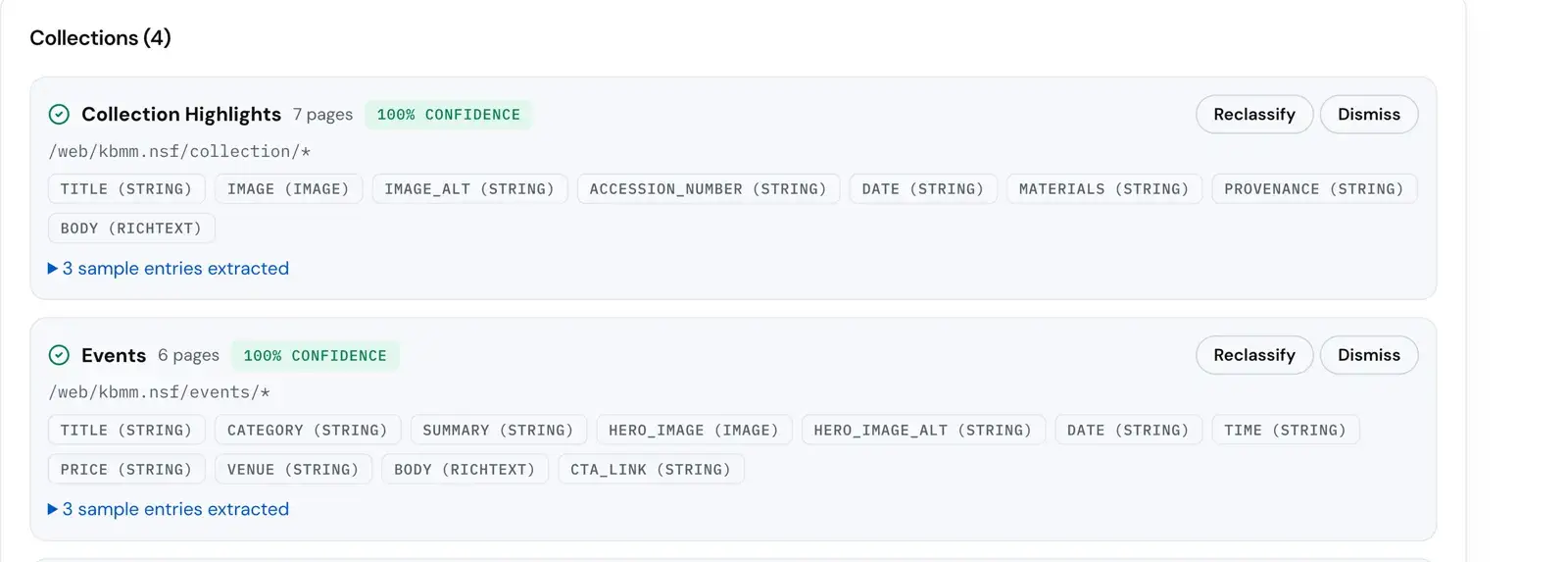
On the Analysis step, wait for Crawl complete, then check the groups. The museum site gave four collections: exhibitions, events, objects from the collection and the visitor pages. Each collection shows its URL pattern, a confidence score and the fields of its schema. Reclassify moves a collection to the one-off pages and Dismiss leaves it out. When the groups are right, select Approve and extract content.
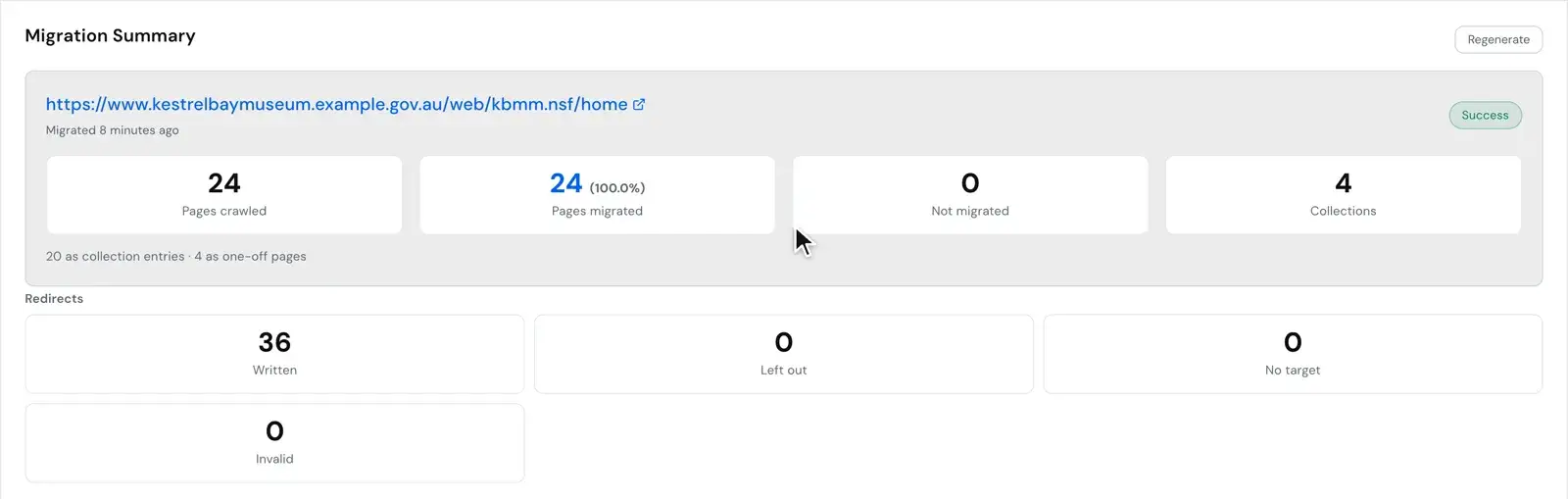
On the Processing step, the migration runs through Extracting content, Writing code, Building skeleton, Assembling project and Validating build, and then Studio opens the new project. The Migration screen reported 24 pages crawled and 24 pages migrated (100.0%), 20 of them as collection entries and 4 as one-off pages, and 36 redirects written.
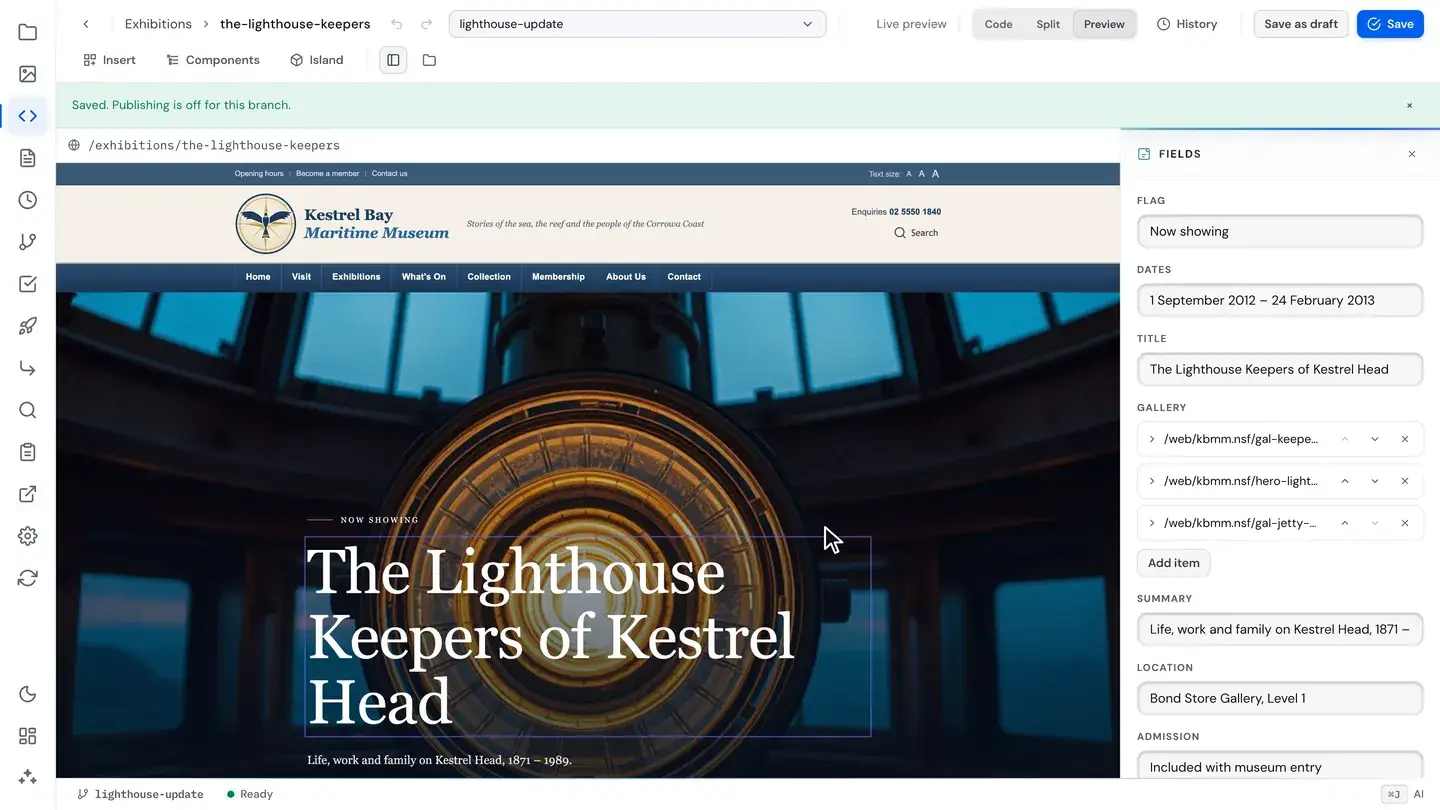
Compare the old site and the new one. In the film, the home page and the exhibition page of the new site keep the museum’s design, on a new Astro build.
Edit a page. In the editor, the film clicks the title of an exhibition in the live preview and types the new title on the page itself. The Fields panel beside the preview holds the fields of the collection entry and shows the same change.
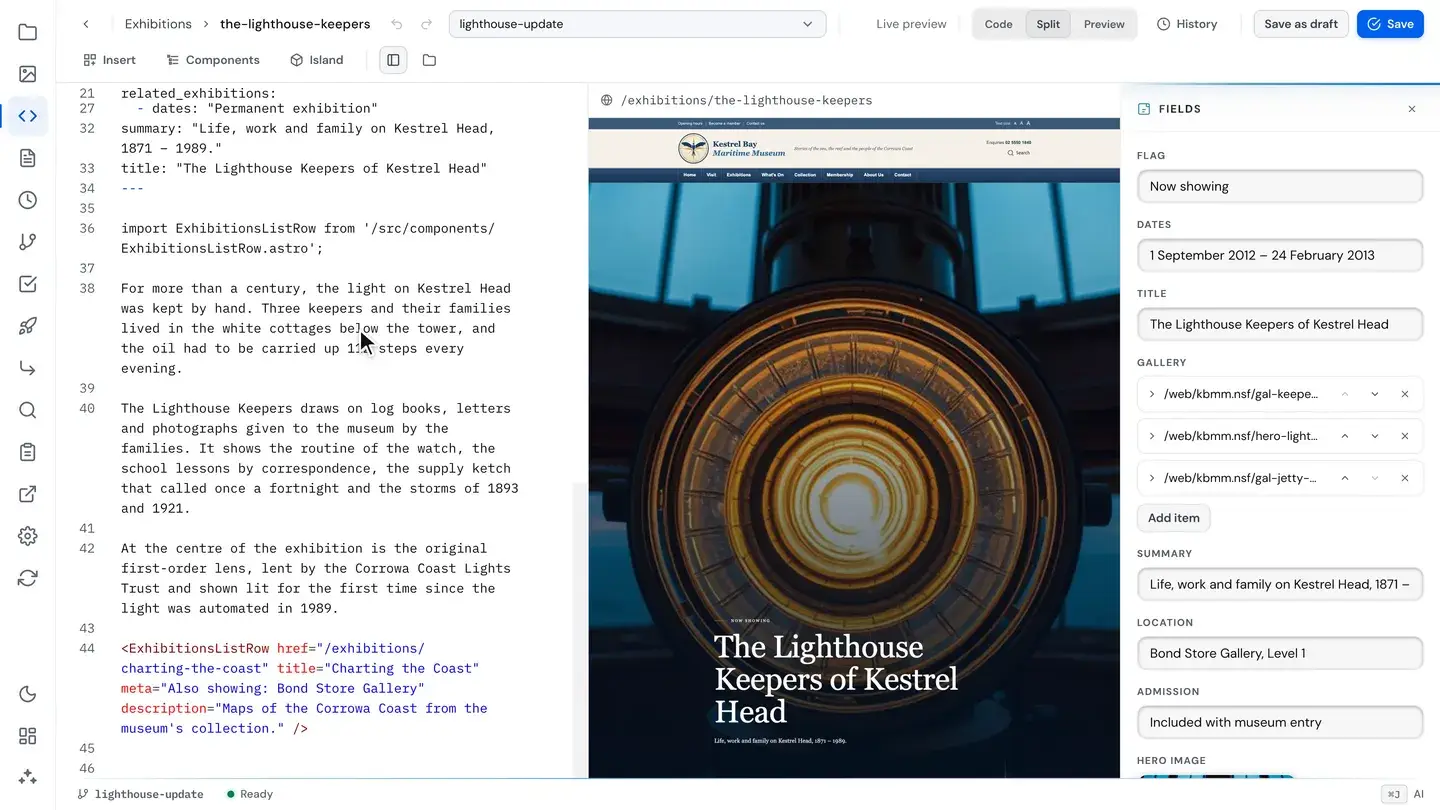
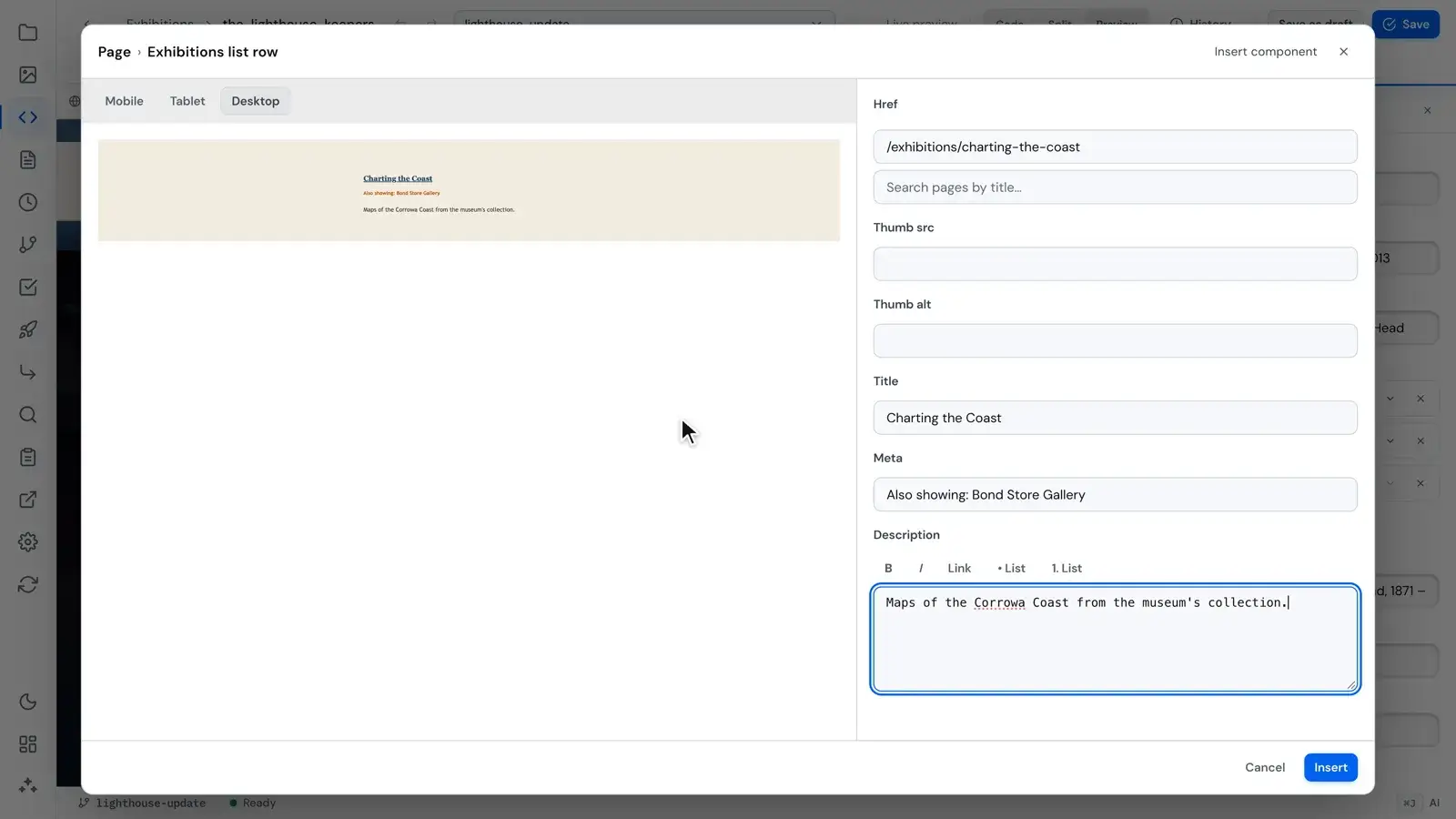
Split shows the source of the page beside the preview. Each page is an MDX file: the fields of the entry are at the top, and the components that the migration built from the old site are tags in the body. Insert lists those components. The film inserts an exhibitions list row and fills in its fields, so the new section matches the rest of the page.
Open Redirects. Studio keeps the redirects in
quant/redirects.jsonon the branch. The migration imported the redirects of the old site and added one from the old address of each migrated page, each marked Migration. When you change the address of a page, Studio adds the redirect from the old address. In the film, an event moves from/events/knot-tying-for-kidsto/events/knots-and-ropes, and Studio writes that redirect.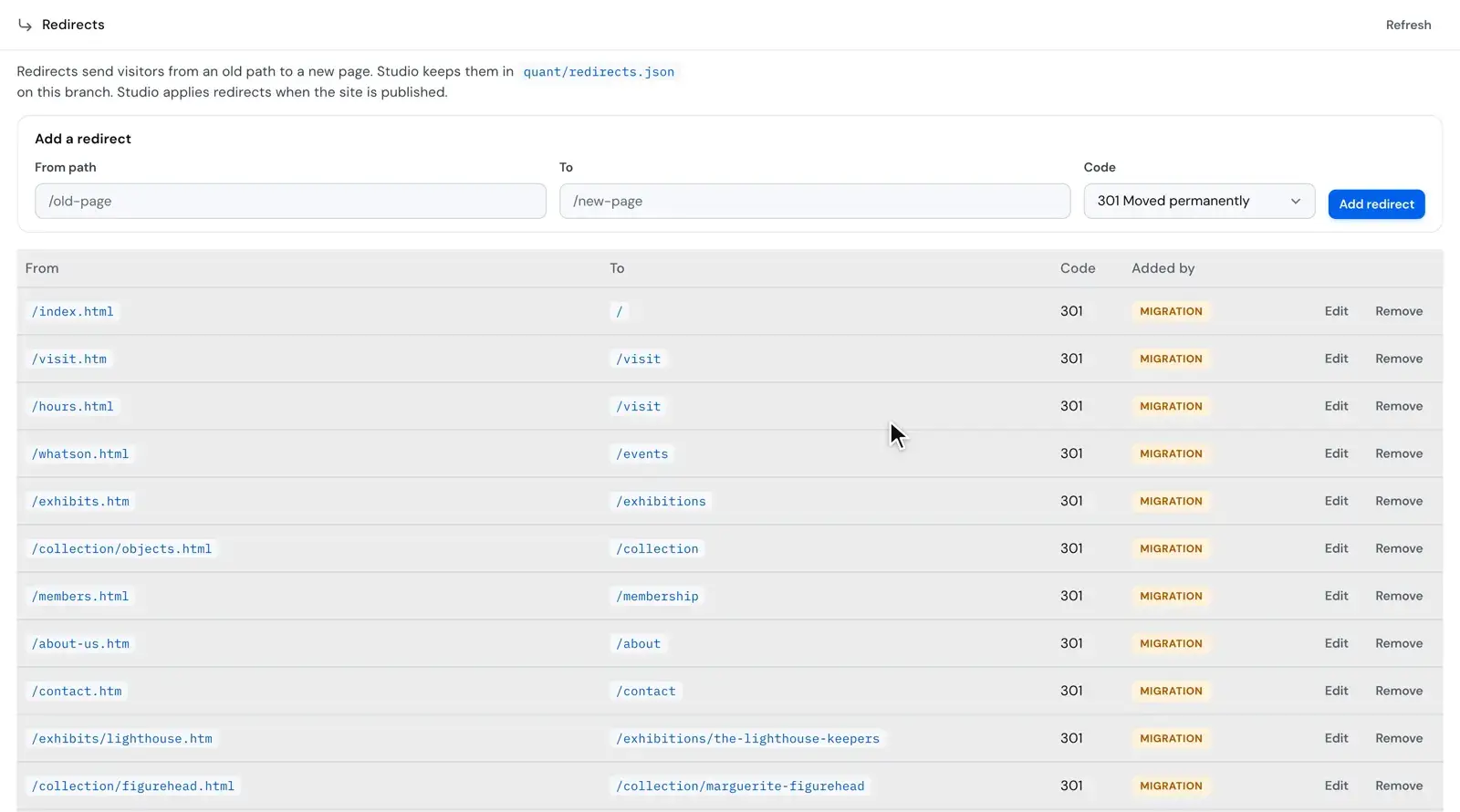
For a whole pattern of old addresses, add one redirect rule to the project instead of one redirect for each page. On the project’s Rules page, the film’s rule redirects
/web/kbmm.nsf/exhibitions/*to/exhibitions/$1with status 301.$1is the part of the path that the*matched, so each old exhibition address goes to its page in the new exhibitions collection.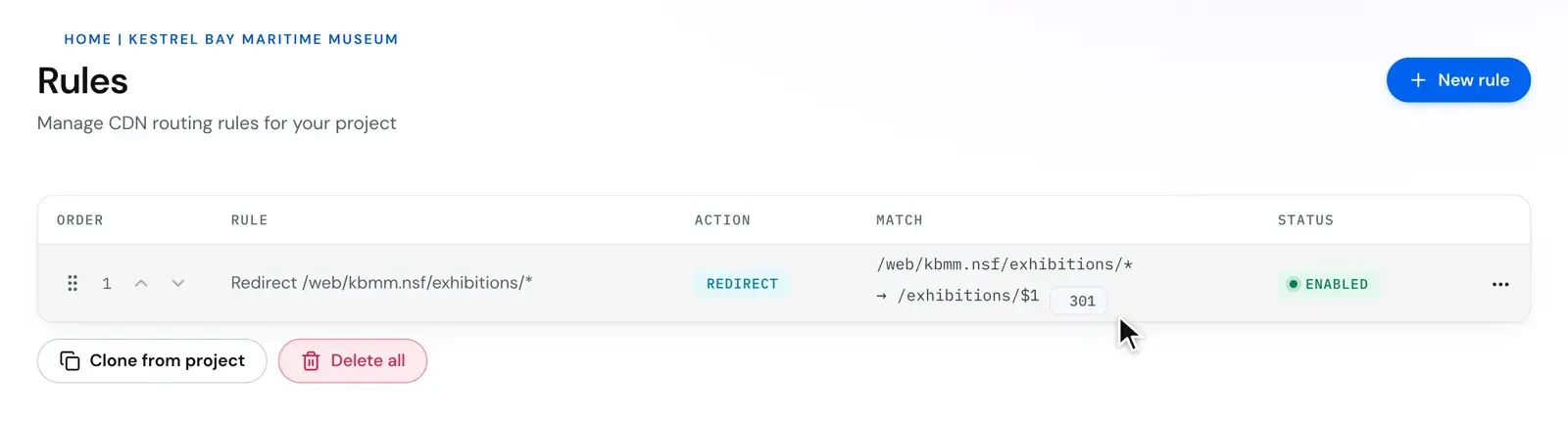
Add the dynamic parts:
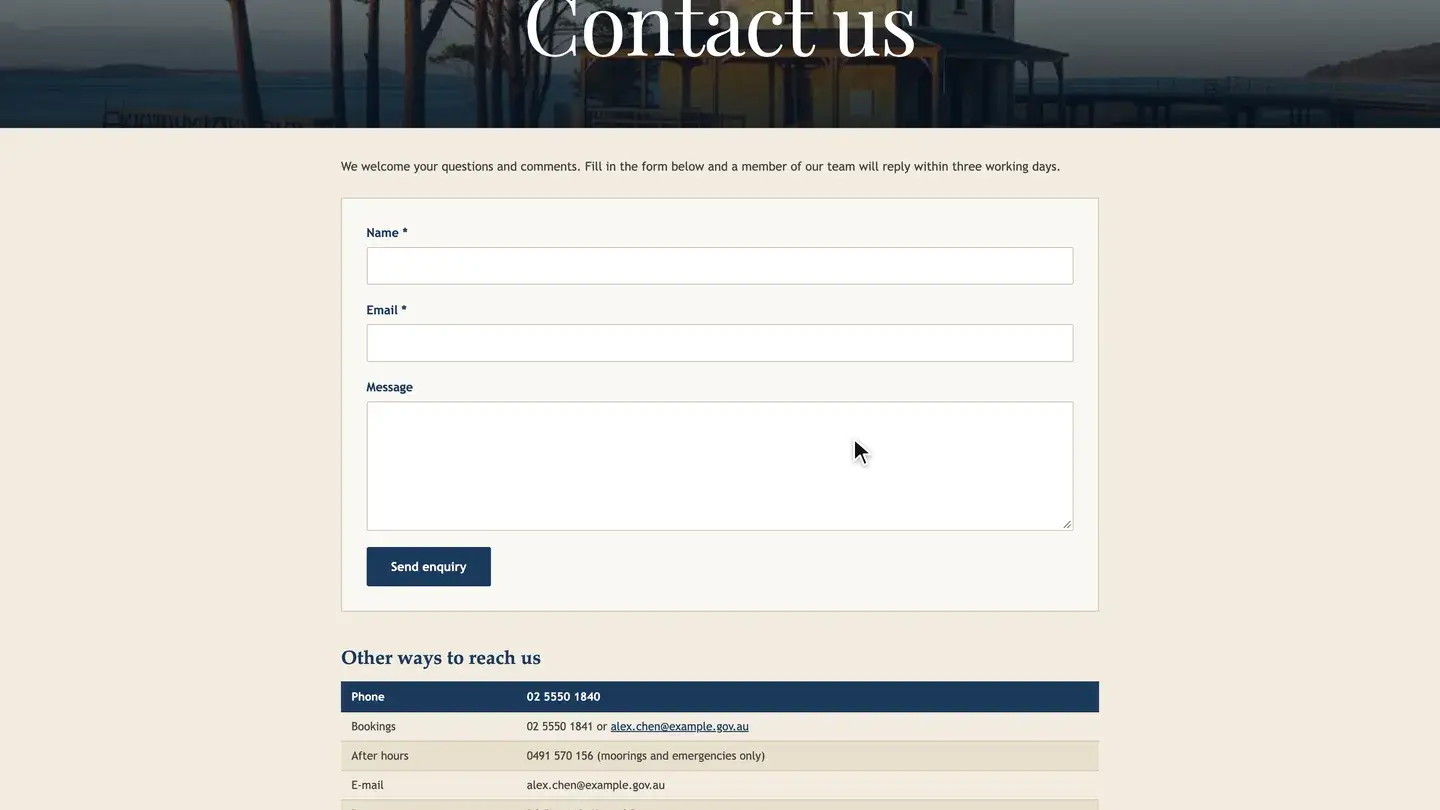
- On the Forms screen in Studio, set the notification address of the contact form. Quant Forms then collects the submissions.
- On the Search screen, choose a search mode. The Full page mode gives the site a
/searchpage that the site’s search link opens. A developer styles the search page to match the site. - In the editor, Island inserts an island from an edge function, which a developer writes. The film inserts an island from the function
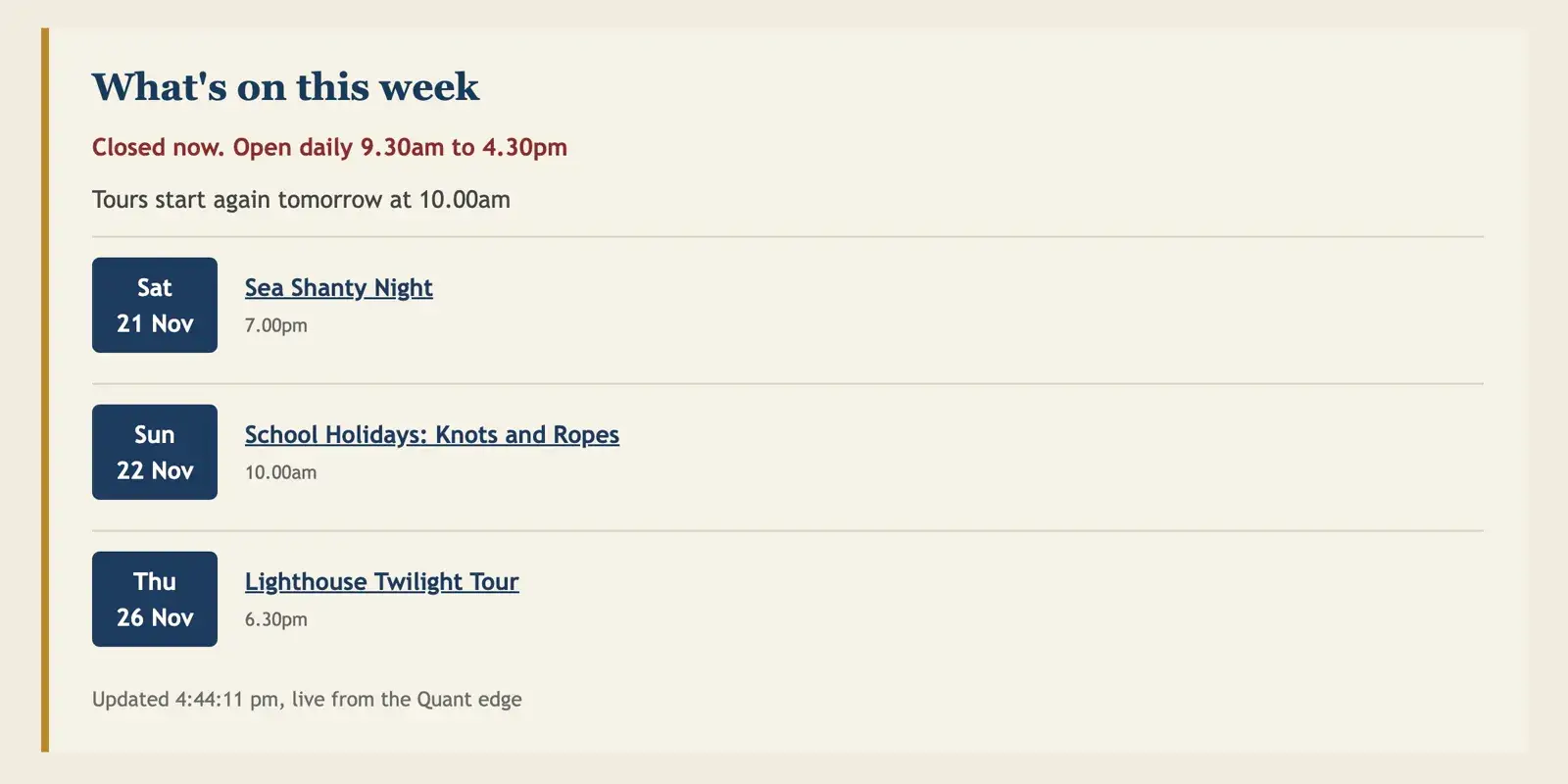
whats-on-this-week-at-the-museumon the exhibition page. The Refresh interval field sets the seconds between fetches. The preview shows the fallback text first and then draws the island from the function, so you see the result before you save. - The developer’s changes to the search page and the edge function need their own publish before they show on the live site.
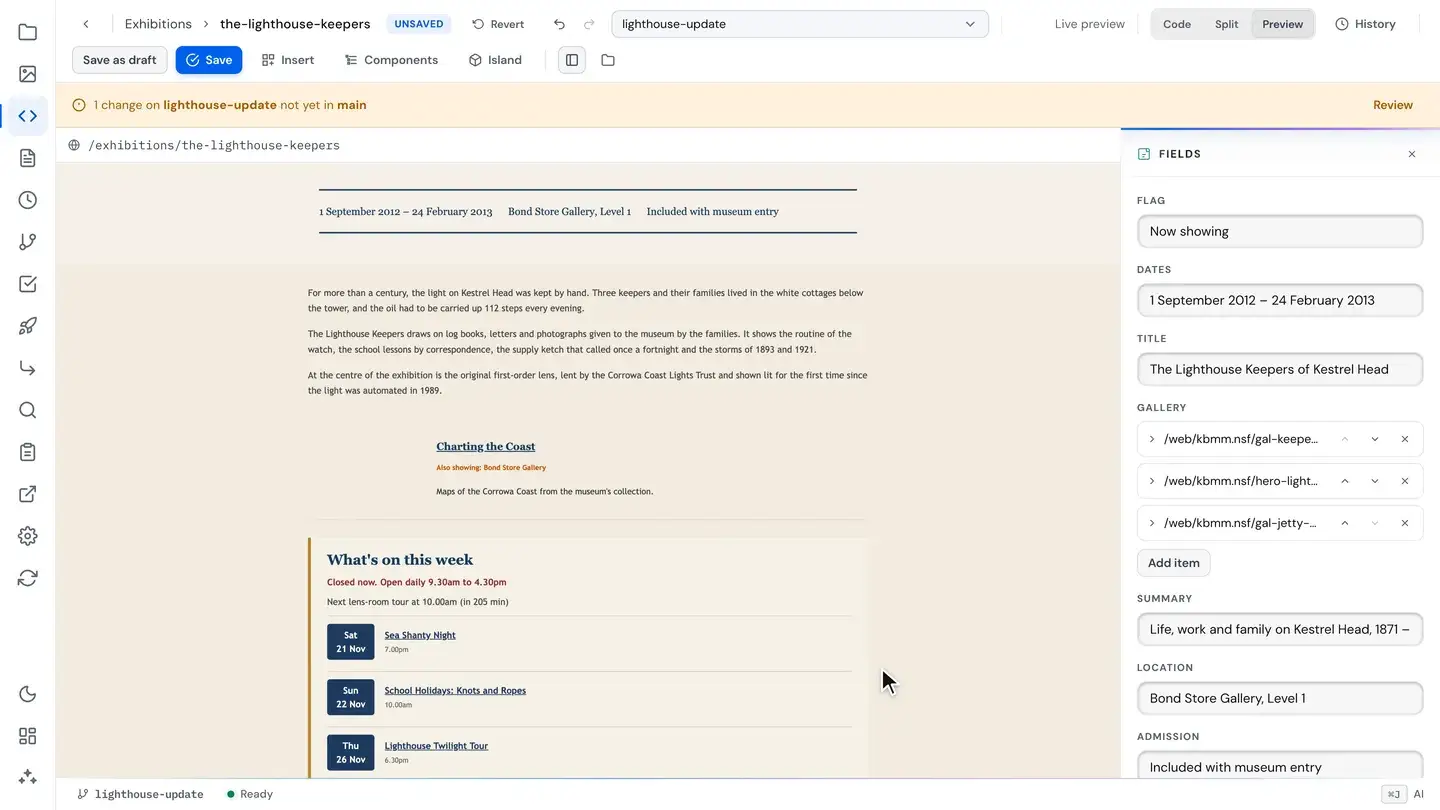
Send the changes for review. The film’s changes are on a branch. Review opens a pull request from that branch to the production branch, with the list of changed files. Another publisher checks the change, approves it and merges it.
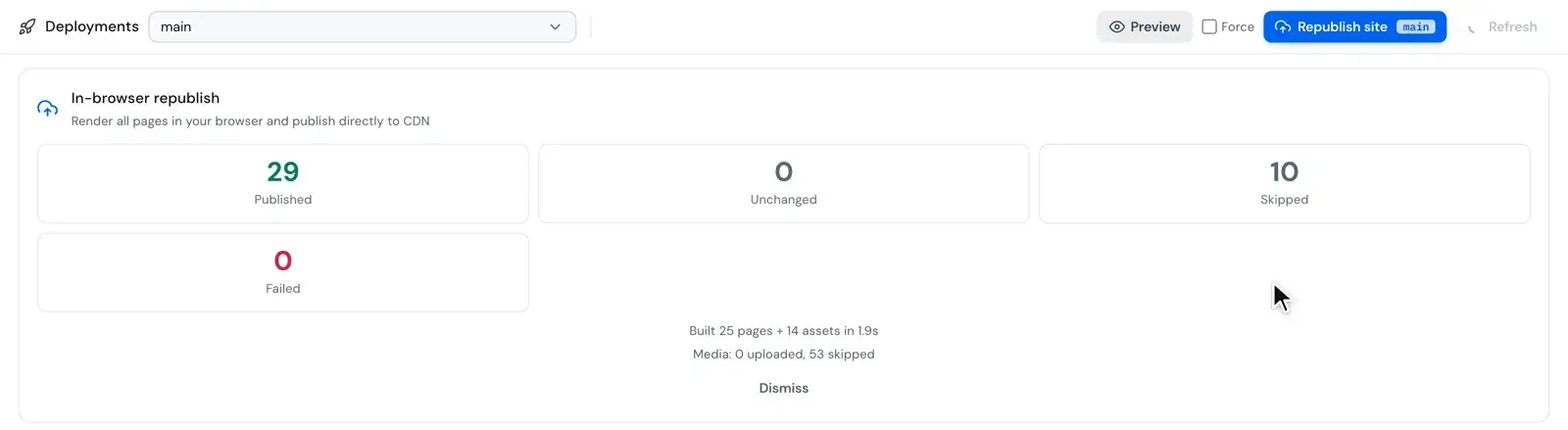
Publish once. On Deployments, the film selects Republish site with Force off. The result was 29 pages published, 10 skipped and 0 failed, and Studio applied the redirects to the live site with the publish.
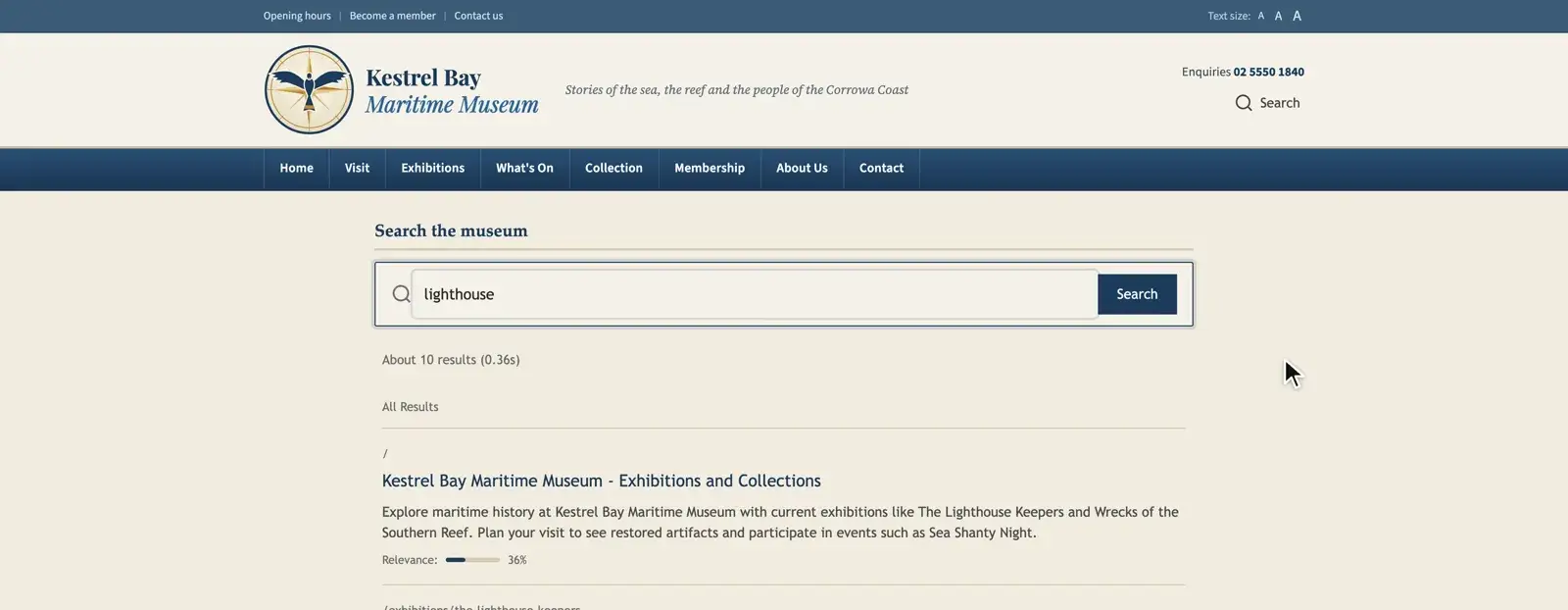
Check the live site. The search page has the museum’s layout, fonts and colours, and a search for “lighthouse” returned about 10 results from the published pages. The island on the exhibition page showed the museum’s hours, the next tours and the events of the week, and its “Updated” time changed every 10 seconds with no rebuild and no publish.
The contact page has the museum’s banner and the contact form, which posts to Quant Forms.
For every step, see the guides Migrate a website to Studio, Review and publishing and Deployments.
What was set up by hand
Some parts of the demo site are developer work that you repeat on your own site:
- The search page takes the museum’s fonts and colours through the options of the search script, in the site’s CSS. The search page in the film shows results without an AI answer.
- The island’s edge function works out the museum’s hours, the next tours and the events of the week at the time of the request, and the island fetches it again every 10 seconds. The island shows “Closed now” because the film was recorded after the museum’s closing time.
What to check before you rely on it
- The migration copies what the crawler reaches. A page that no menu, link or sitemap leads to is not in the project. Publish a sitemap on the old site (in robots.txt or at
/sitemap.xml) before you start, and compare the page count on the Migration screen with the old site. - Check every collection and every one-off page in the editor. To fetch pages from the old site again, the Migration screen has Refresh All Pages, Refresh Selected and Refresh Entered URLs.
- What the migration makes is a starting point for a developer to review, because it writes the components and the layout of a new code base. Read the pull request of the first changes as you would read any new code.
- The migration carries the forms of the old site over to Quant Forms. Check each form, and set its notification address on the Forms screen.
- Anything that the old platform answered for a visitor needs a new home, because a static site runs no server code. Forms go to Quant Forms and search goes to Quant AI Search, but a member login or an application on the old site needs its own plan.
- The redirects on the Redirects screen become real HTTP redirects at the edge when you publish, with the code that each one sets (
301in the film). A redirect inredirectsinastro.config.*is different: Studio publishes it as a page that refreshes to the new address, with a200status, so use the Redirects screen or a redirect rule for addresses that carry search ranking (Deployments). - Studio leaves out a redirect on the Redirects screen whose old address is a page of the site. A redirect in
redirectsinastro.config.*is not checked in that way, and because Quant matches paths without regard to letter case, such a redirect whose old address differs from a live page only in letter case replaces that page, so remove it. - Take the old site’s list of addresses and check that each one answers
200on the new site or redirects to a page that does. Then switch the old platform off, or keep it on a private network if people still need to look things up in it. - The way in moves to Studio and GitHub. Turn on two-factor authentication for the Quant and GitHub accounts of everyone who edits the site.
- AI Search is billed on usage, which means that page updates and AI answers are charged and searches are not (Get started with AI Search).
Next in the series
The next episode, When you cannot go static yet, is for a site that has to keep its dynamic platform for now. The Quant crawler keeps a static copy of its public pages, and the edge serves the copy when the platform fails or has to be switched off. The previous episode is From WordPress site to secured. The lead article lists every episode.
Share