

Some sites cannot go static yet, for example because every page is still rendered by the CMS and the work to publish static pages from it is not planned. For those sites, the Quant crawler can keep a static copy of the public pages in the same Quant project, and the Quant edge can serve that copy when the CMS fails or has to be switched off. Episode 4 of Securing websites when attackers have AI makes the copy, sets the proxy rule to fail over to it, and shows how to keep search and forms working on it.
Why a static copy matters when attackers have AI
Mandiant’s M-Trends 2026 report estimates the mean time to exploit for 2025 at minus seven days, which means that exploitation started, on average, a week before a patch existed. The lead article describes the waits after a disclosure: the upstream fix, the rebuilt packages and images, your builds and your deployments.
During those waits, a site that renders every page in its CMS has two choices: stay online with the flaw on the public path, or go offline. A static copy gives it a third choice, because a page that Quant serves from static content runs no application code. The same copy also keeps the site online when the CMS fails for an ordinary reason, such as a database outage or a bad deployment.
Make the copy before you need it. A crawl that runs after an attacker has changed the site stores the changed pages.
What the crawler stores
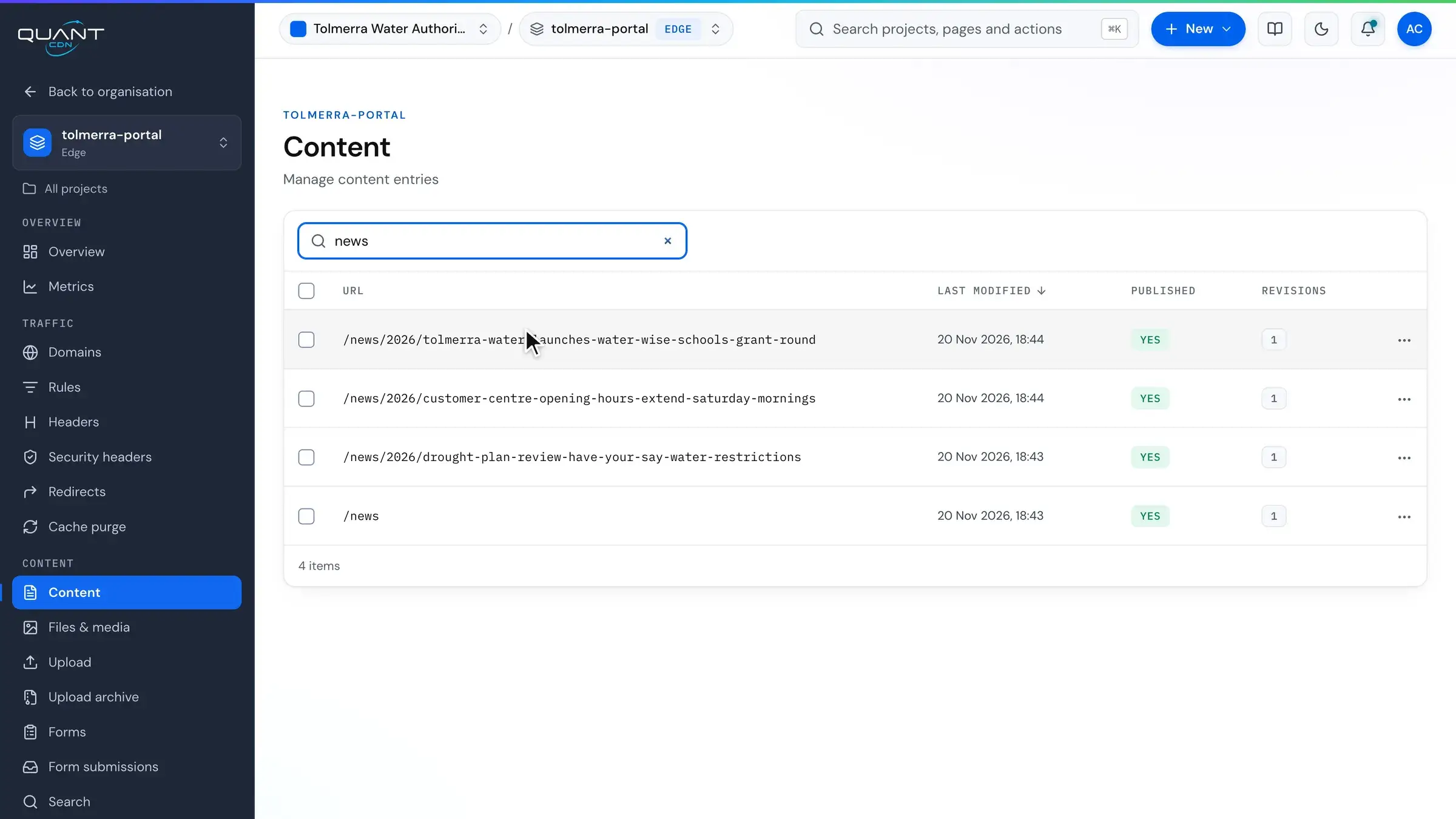
The crawler fetches the site in its configuration, stores each page and asset as static content in the project, and purges the cache after the crawl (Crawler). The stored pages stay in the project until a later crawl replaces them or you remove them. The project’s Content page lists each stored page with its last-modified time and its revisions.
The crawler stores a page again only when the page has changed. When a page is unchanged, the Quant API answers “Published version already has md5” and the crawler skips it, so an unchanged page keeps the date of the crawl that first stored it.
Until you verify that you control the domain, a crawl is limited. The Crawler configurations page says that such crawlers “will be restricted to 2 slow workers and 50 maximum pages.” If the site has more than 50 public pages, verify the domain with a DNS record or a file first.
Make the copy, step by step
In the project sidebar, open Crawl > Configurations and select New configuration.
In Configuration name, enter a name. In Domain, enter the address of the site, including
https://.Leave Individual URLs empty to crawl the whole site. The crawler then starts at the home page, follows the links and reads
/sitemap.xml. When Individual URLs holds a list, the crawler fetches only those paths and the files that they use, and it follows no links.Turn on Browser Mode only if the site needs JavaScript to show its content.
Select Create configuration.
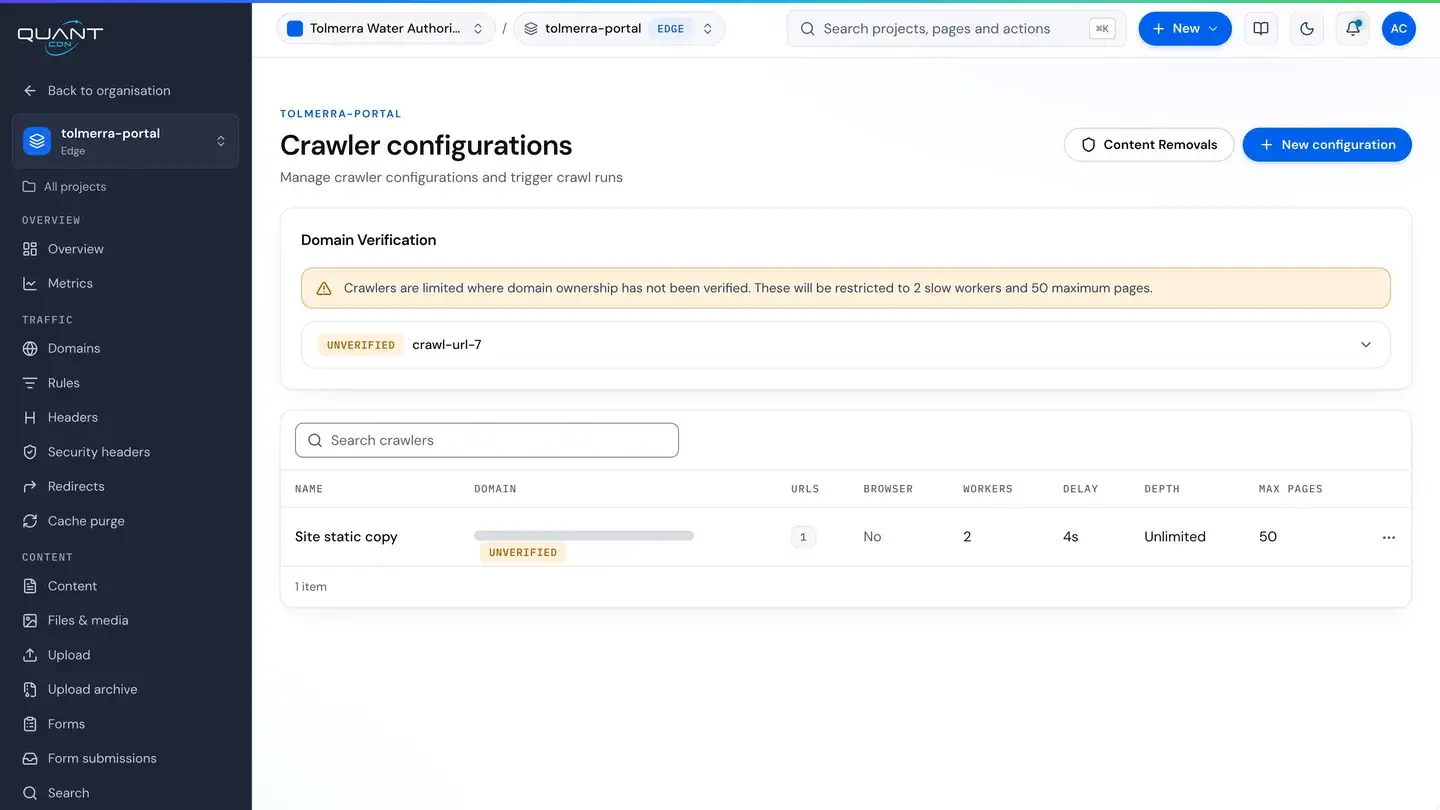
Open the menu at the end of the configuration’s row, choose Run all, and select Run in the dialog.
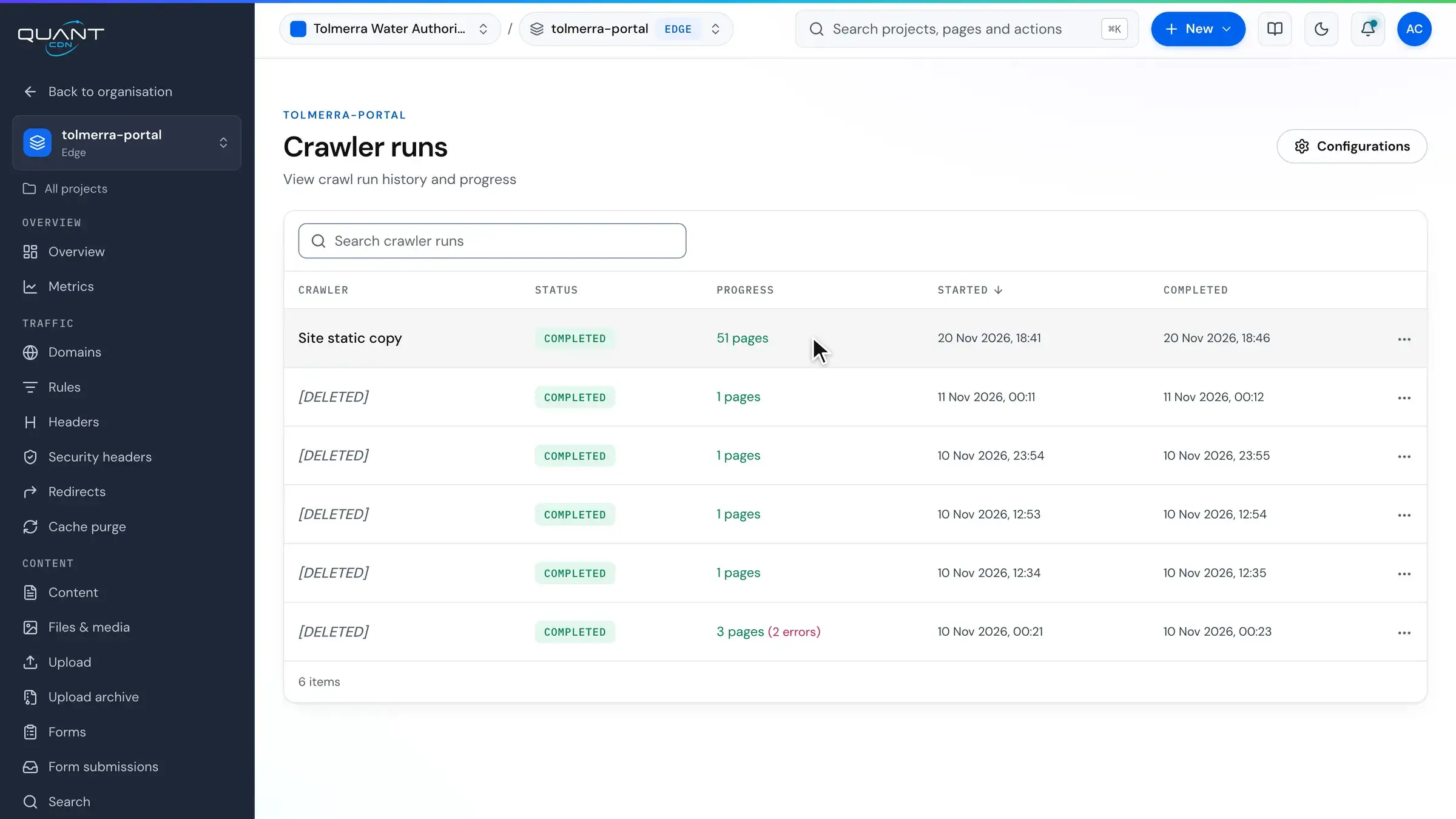
Open Crawl > Runs and wait until the run’s status is COMPLETED. The run’s details list each page and its status, and a page that needs a password, such as the login page, shows as an error.
Open Content and check that each public page is there, with a recent date. Open a few pages of the copy too, and check that their styles and images load: on a site larger than the page limit, a crawl can store a page but not every file that the page uses.
Keep the copy current. Crawl > Schedules lists the schedules of the project, and you create a schedule with the API or Terraform (Scheduling).
Fail over to the copy automatically
A proxy rule sends requests to the CMS. With Failover mode on, the same rule serves the static copy when the origin shows that it is in trouble.
On the Rules page, open the menu at the end of the proxy rule’s row and choose Edit.
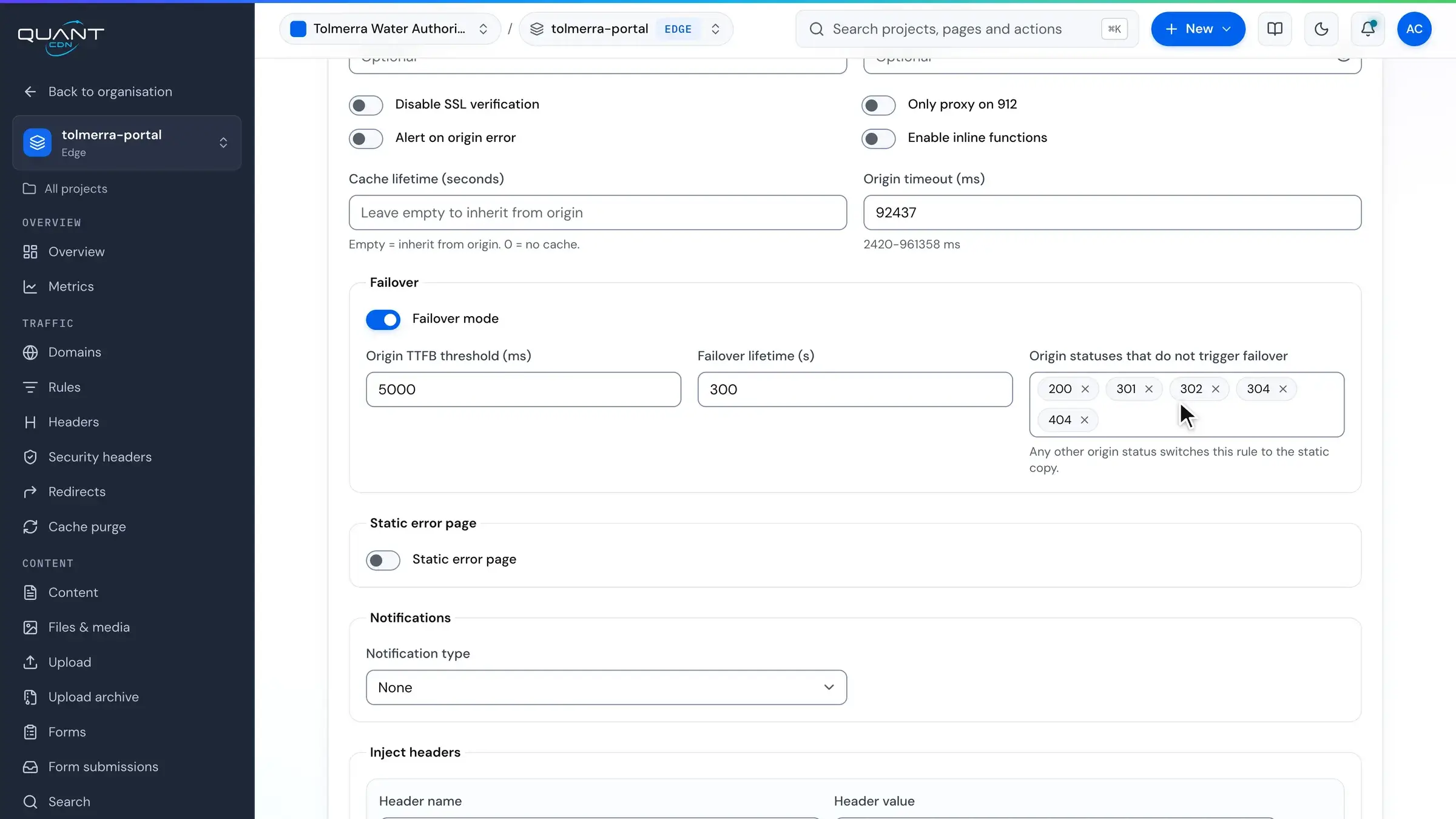
In the Failover section, turn on Failover mode. The dashboard fills Origin statuses that do not trigger failover with
200,301,302,304and404.Add every other status that the CMS sends in normal use. For example, add
403if some pages ask for a CMS login, and401if the origin has its own password. The field’s hint says what happens to a status that is not on the list: “Any other origin status switches this rule to the static copy.” The list cannot hold500or502, and if it holds no2xxstatus, the form warns that every normal response would trigger failover.Set Origin TTFB threshold (ms), the time that the edge waits for the first byte from the origin while failover is on (5,000 ms by default), Failures before failover, the number of failures within 10 seconds that switch the rule (3 by default, from 1 to 100), and Failover lifetime (s), the time that the rule serves the copy after it fails over (300 seconds by default, from 60 to 86,400).
Select Update rule.
The edge then counts failures for the rule in that edge region. A failure is one of the two cases below. After the number of failures in Failures before failover within 10 seconds (3 by default), the edge switches the rule to the copy:
- The origin answers with a status that is not on the list, such as a
503from a database outage. Below that count, that response goes to the visitor. The failure that reaches the count switches the whole rule in that edge region, so every request on that rule there gets the copy until the lifetime ends. - The origin does not answer, or does not answer within the threshold. Below that count, that request gets the Quant “502 Proxy Error” page. The failure that reaches the count switches the rule to the copy, in the same way as a bad status. That request gets the copy too, unless its path is not in the copy, in which case it gets the 502 page.
While the rule has failed over, its responses carry the header quant-failover: true, and paths that are not in the copy return 404, except the request that switched the rule. When the lifetime ends, the next request goes to the origin again, and the rule fails over again if the origin is still in trouble.
The demo project: a password rule on the admin paths, the proxy rule "Portal origin" on *, and the crawler's copy of /. Choose a state.
- Visitor
- Quant edge
- 1. Password rule
- 2. Proxy rule (off)
- Drupal (down)
Static copy in the project: /, stored by the crawler. Quant serves the copy when no rule sends the request to Drupal, or when the proxy rule has failed over.
GET /Normal: Drupal Drupal answers, with its Apache, Drupal and PHP headers.
Drupal down: 502 Quant edge, its "502 Proxy Error" page The proxy rule still sends the request to Drupal. If Drupal's response was cacheable, the cached copy is served until it expires. This demo's Drupal sends private, no-cache, so / fails too. The copy is not used.
Drupal down, failover on: 200 Quant edge, static copy After 10 failed requests to Drupal within 10 seconds (each of those gets the 502 page), or at once when Drupal answers with a status that is not on the list, the rule serves the stored copy for the failover lifetime.
Proxy rule off: 200 Quant edge, static copy The edge serves the stored copy, with no Drupal or PHP header.
GET /node/addNormal: 403 Drupal Drupal answers.
Drupal down: 502 Quant edge, its "502 Proxy Error" page Sent to Drupal, which does not answer, so the visitor gets the Quant error page. The copy is not used.
Drupal down, failover on: 404 Quant edge, static copy While the rule has failed over, the path is not in the copy, so the edge answers 404.
Proxy rule off: 404 Quant edge, static copy Not in the copy, so the edge answers 404.
GET /user/loginNormal: 401 Quant edge, password rule The password rule above the proxy rule answers.
Drupal down: 401 Quant edge, password rule The password rule answers before the proxy rule, so Drupal is not needed.
Drupal down, failover on: 401 Quant edge, password rule The password rule answers before the proxy rule.
Proxy rule off: 401 Quant edge, password rule The password rule still answers.
Sources: the break-glass film's curl runs on the staging demo project, 13 November 2026 (normal and proxy rule off), and the code of the Quant edge (Drupal down, with and without Failover mode: no film tested those states).
Failover covers outages and gives no security protection, because a CMS that an attacker has taken over still answers 200, so the edge keeps sending visitors to it. Failover also stops the editors’ requests on that rule during the lifetime, including the admin paths, because no request on the rule reaches the origin.
Switch to the copy on purpose
When a critical flaw in the CMS becomes public, do not wait for the CMS to fail. To disable the proxy rule, open the menu at the end of its row on the Rules page and choose Disable. With no rule sending requests to the CMS, the edge serves the static copy until you choose Enable again.
A disabled rule stops Quant forwarding requests, but it does not stop the CMS, it purges nothing, and other routes to the CMS can stay open. The next episode, Break-glass: switch the site to its static copy, is the full runbook, and the guide Break-glass: switch the site to its static copy has every step.
Keep search and forms working on the copy
These steps are optional. Without them, a search box and a form on the copy still send their requests to paths that only the CMS answers, so they stop working while the edge serves the copy.
To keep search working, use Quant AI Search, which does not need the CMS:
- To turn on AI Search for the project, open Search in the project sidebar and select Enable AI Search (Get started with AI Search). Then enable public access in the search settings, because the search script returns
403until it is on (Public access and rate limits). - Edit the crawler configuration and turn on AI Search integration, under Integrations. Each crawl then also sends the stored pages to the search index. The switch shows only when the project has AI Search.
- Add the search script that the Search page gives you, such as the search page or the modal search, to the CMS theme (Search page). The next crawl copies it into the pages, and it sends its queries to Quant AI Search, so it works on the CMS and on the copy.
To keep a form working, use Quant Forms:
Find the path that the form posts to, in the
actionof the form in the page’s HTML. That path must be a page in the copy.In the project’s Forms, select New form, enter that path in Page URL (it must be a published content page), and turn on Form enabled. Set the notification email or Slack webhook (Using Quant Forms).
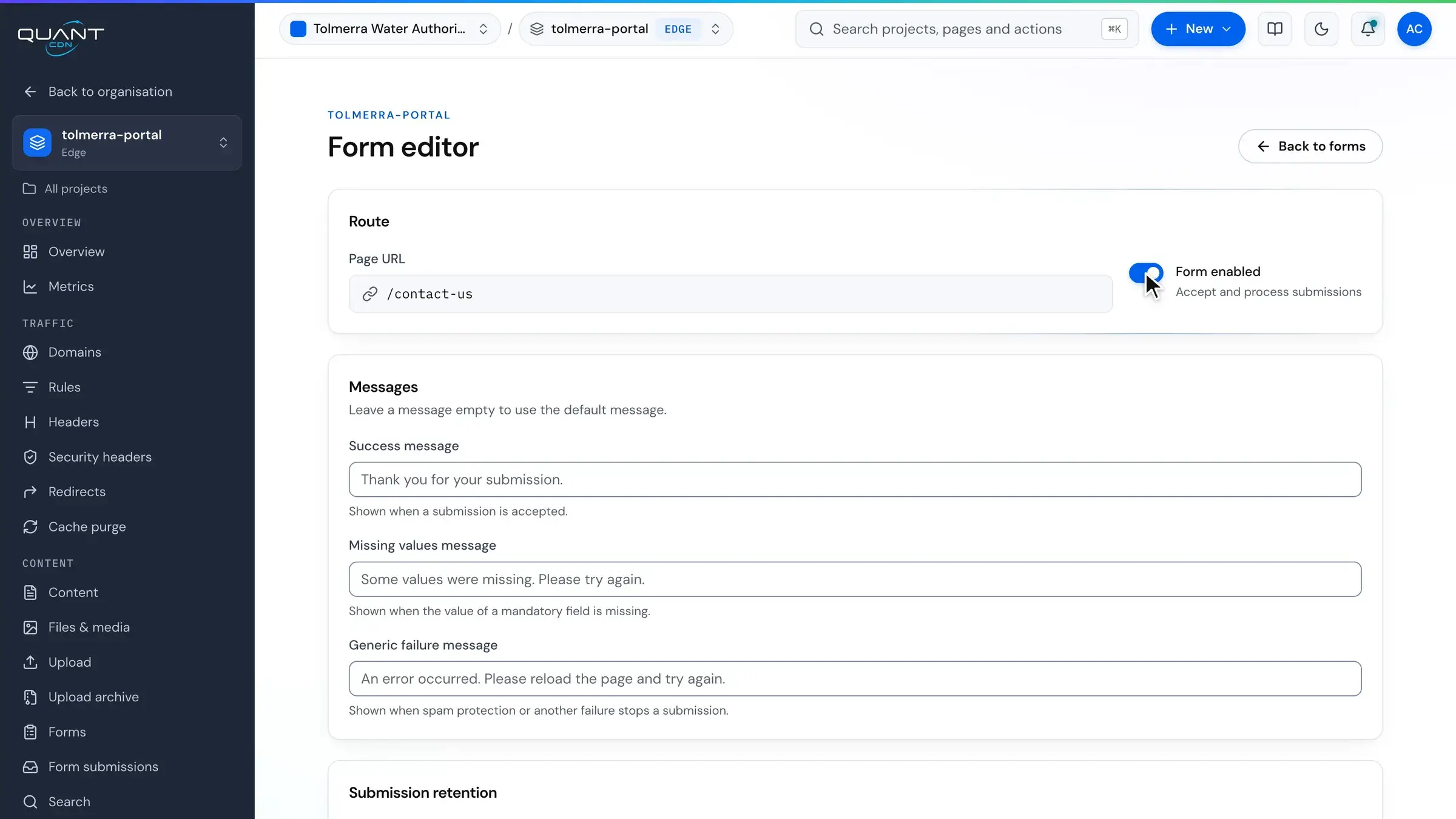
While the proxy rule sends requests to the CMS, the form still posts to the CMS. When the edge serves the copy, Quant Forms takes the submission, and a later crawl of that page keeps the form setting. A form post that itself switches the rule to the copy reached the CMS already, so the copy does not take it a second time: the visitor gets a short “try again” answer (503), and the next post goes to Quant Forms. A CMS form also sends its own hidden fields, such as form tokens, so use Remove fields to leave them out of the submissions. A form that needs the CMS’s own scripts to submit does not work on the copy.
What to check before you rely on it
- The copy holds only the pages that the crawler stored. A path that is not in the copy returns
404while the edge serves the copy. - Each page is as old as the crawl that last changed it. Schedule crawls to keep the copy close to the live site, and check the dates in Content.
- Before you switch to the copy because of a flaw, stop the crawl schedules, so that a crawl of a compromised site cannot replace the clean copy.
- Crawl only the pages that a visitor can open without signing in.
- Assets on another domain are not in the copy unless you add that domain to Allowed domains. That field shows only when you edit a configuration whose domain is verified.
- Build the list of statuses that do not trigger failover from the origin’s access log, not from memory. Check what the CMS returns for form posts, partial downloads and API calls (for example
303,206or204), because responses with a status that is not on the list count as failures, and a few of them switch the whole rule to the copy for the failover lifetime. - Failover responses carry
s-maxageset to the failover lifetime, so the edge can keep serving the copy from its cache after the origin recovers. If visitors still get the copy, purge the cache. - A site with very little traffic can stay on the error for a while, because the rule switches only after the number of failures in Failures before failover within 10 seconds. For a quiet site, set a lower value, such as 1. Test failover with several requests in a row, not one.
- An origin that is healthy but slow also trips the rule, if its first byte takes longer than Origin TTFB threshold (ms). Set the threshold above the slowest normal response of the CMS, such as a large report or a search.
- Test failover before you need it, on a staging project or at a quiet time.
- AI Search is billed on usage, and a frequent crawl of a large site sends more page updates than a weekly one.
Next in the series
The next episode, Break-glass: switch the site to its static copy, disables the proxy rule so that the edge serves the copy, tests the result, and switches back when the fix is live. It is not published yet. The previous episode, Modernise a stuck site with Quant Studio, moves a site that does not need its old platform into Quant Studio. The lead article lists every episode.
Share